5 Development Firms Focused on Payment Gateway Architecture and Integrations

Payment gateways look deceptively simple from the outside. A customer clicks a button, the payment processes, and the transaction either succeeds or fails within a few seconds. Most users never see the infrastructure sitting underneath that workflow.

What they do not see is how many systems are involved at the same time. Processors, card networks, banks, fraud checks, compliance layers, tokenization services, merchant systems, reconciliation workflows, APIs, settlement logic, currency handling, mobile applications, and cloud infrastructure all interact during a single payment event.

That complexity grows quickly once companies start scaling internationally, adding alternative payment methods, supporting recurring billing, or integrating with multiple processors simultaneously.

At that point, payment gateway architecture becomes far more than an API integration project.

Financial companies often need engineering partners that understand transaction routing, operational resilience, PCI-sensitive infrastructure, banking integrations, and long-term scalability inside payment ecosystems where downtime immediately becomes expensive.

Here are five development firms frequently involved in payment gateway architecture and integration projects.

1. Softjourn

Softjourn financial software development company has spent more than twenty years building financial systems connected to payment processing, transaction infrastructure, and banking integrations.

The company operates especially close to the infrastructure side of payment ecosystems rather than only customer-facing payment applications.

That distinction matters because payment gateway environments become operationally complex very quickly once businesses start managing multiple processors, transaction routing logic, compliance requirements, reconciliation systems, and high-volume payment flows simultaneously.

Softjourn has delivered financial projects involving:

  • Payment gateway development
  • Banking API integrations
  • PCI-DSS compliant systems
  • Merchant payment infrastructure
  • Card issuing platforms
  • Mobile wallets
  • Open banking integrations
  • Remittance systems
  • Buy now, pay later products
  • Financial automation workflows

Its engineering teams also work directly with processors and payment technologies such as Stripe, Apple Pay, First Data, Worldpay, Secure Check, and Interac.

One thing that makes Softjourn especially relevant for payment gateway architecture is infrastructure familiarity.

A lot of software firms can connect payment APIs technically. Fewer companies understand what happens operationally once transaction systems scale across regions, payment methods, cloud environments, and banking integrations simultaneously.

Payment gateway reliability depends heavily on the architecture quality underneath the transaction layer itself.

That includes:

  • API resilience
  • Settlement workflows
  • Infrastructure scalability
  • Audit visibility
  • Transaction monitoring
  • Failover handling
  • Security controls
  • Reconciliation systems

Softjourn’s engineering work regularly touches those operational layers directly.

The company also supports cloud migration, DevOps, infrastructure modernization, and architecture consulting for financial systems operating inside transaction-heavy environments.

2. DashDevs

DashDevs works heavily with digital banking products, payment applications, and embedded finance ecosystems.

The company is frequently involved in projects where payment gateway integrations sit close to customer-facing financial products and mobile payment workflows.

Capabilities include:

  • Payment API integrations
  • Digital wallet systems
  • Open banking environments
  • Embedded finance products
  • Mobile payment applications
  • Merchant transaction systems

DashDevs is especially relevant for fintech companies building consumer-facing financial products where payment infrastructure and user experience need to operate together smoothly.

Its engineering work often focuses on scalable integration ecosystems supporting multiple payment methods, banking services, and transaction flows simultaneously.

The company’s product-oriented approach also helps fintechs maintain flexibility while expanding payment capabilities across growing financial platforms.

3. SPD Technology

SPD Technology has strong experience across financial infrastructure engineering and transaction-heavy software environments.

The company frequently supports organizations building scalable payment systems and integration-heavy financial platforms across cloud-native environments.

Areas of focus include:

  • Payment infrastructure development
  • Financial cloud architecture
  • Banking integrations
  • Transaction processing systems
  • Financial analytics environments
  • Risk management platforms

SPD Technology is commonly evaluated by fintechs and financial companies building payment ecosystems expected to handle growing transaction volume and increasingly complex operational workflows.

Its engineering capabilities align especially well with organizations prioritizing scalability and infrastructure resilience across distributed payment environments.

The company also supports architecture modernization projects connected to evolving transaction systems and cloud-based financial platforms.

4. Andersen

Andersen supports financial organizations building secure payment systems, banking integrations, and scalable transaction platforms across web, mobile, and cloud infrastructure.

The company works on multiple projects involving payment gateway integrations and financial transaction environments operating across distributed systems.

Capabilities include:

  • Payment platform development
  • Merchant payment systems
  • Banking API integrations
  • Financial mobile applications
  • Transaction infrastructure
  • Secure cloud environments

Andersen is frequently evaluated by organizations needing larger engineering capacity while scaling payment functionality across expanding product ecosystems.

Its broad delivery structure also supports financial businesses building multi-region transaction systems requiring ongoing integration and infrastructure expansion.

The company’s experience across customer-facing financial products makes it especially relevant for payment environments, balancing infrastructure complexity with usability requirements.

5. Eleks

Eleks operates heavily inside enterprise software engineering and infrastructure modernization environments, including projects involving payment systems and financial integrations.

The company supports organizations building large-scale financial ecosystems where payment infrastructure connects to multiple internal systems, banking environments, and operational platforms simultaneously.

Capabilities include:

  • Payment infrastructure engineering
  • Enterprise financial integrations
  • Banking modernization projects
  • Cloud-native architecture
  • Financial data environments
  • Compliance-oriented system design

Eleks is commonly evaluated by enterprises managing complex integration-heavy financial ecosystems where scalability, governance, and operational reliability all matter simultaneously.

Its engineering depth becomes especially valuable for organizations dealing with older financial infrastructure requiring modernization around transaction systems and payment workflows.

Payment gateway engineering becomes infrastructure engineering very quickly

A lot of organizations initially approach payment gateways like isolated integration projects. That rarely lasts long.

As payment ecosystems grow, transaction infrastructure becomes deeply connected to operational workflows across the business itself.

Gateway environments eventually affect:

  • Reporting systems
  • Fraud monitoring
  • Customer onboarding
  • Settlement workflows
  • Compliance operations
  • Financial reconciliation
  • Cloud infrastructure
  • Multi-region expansion

Once these dependencies start overlapping, payment gateway reliability becomes heavily dependent on architecture quality underneath the transaction layer.

That is why specialized financial engineering experience matters so much in payment infrastructure projects.

Payment integrations are becoming increasingly ecosystem-driven

Modern payment environments rarely rely on a single provider anymore. Many financial platforms now integrate simultaneously with:

  • Multiple processors
  • Banking APIs
  • Card networks
  • Fraud detection providers
  • Wallet ecosystems
  • Compliance services
  • Subscription systems
  • Financial reporting environments

This creates integration-heavy ecosystems where infrastructure stability and transaction visibility become operational priorities, not just development goals.

The strongest development firms usually understand how those systems behave together operationally once transaction volume starts growing.

Financial companies increasingly prioritize operational reliability

For financial businesses, payment infrastructure failures create immediate business consequences. Transaction instability affects revenue directly.

That pressure changes how companies evaluate engineering partners. Development speed still matters, but operational reliability, scalability, compliance familiarity, and infrastructure resilience increasingly matter just as much.

Softjourn stands out especially well here because the company combines deep payment gateway expertise with long-term experience across transaction infrastructure, banking integrations, financial APIs, and PCI-sensitive software environments.

For organizations building modern payment ecosystems, architecture quality underneath the gateway layer often determines how scalable the platform becomes later.

Top 4 Sales Research Platforms for Better Prospecting

Prospecting today depends on research quality, not just collecting more contacts. Sales teams spend time analyzing company activity, technology usage, hiring patterns, funding signals, and market positioning before outreach begins. Stronger research workflows improve account prioritization and reduce wasted outbound effort. Different research platforms solve different prospecting problems. Some focus on manual review; others track technology or funding.

Some sales research tools focus on manually reviewed prospecting data. Others specialize in company intelligence, technology tracking, competitor monitoring, or business growth insights. Modern prospecting often combines several types of research before outbound campaigns start. Smarter account research improves targeting precision and outreach timing. Here are the platforms worth looking at.

4 Platforms Reshaping How Sales Teams Research Prospects

The platforms below approach sales research from very different angles. Some help outbound teams find cleaner prospecting data. Others focus on company tracking, market visibility, or technology insights. Businesses rarely rely on a single research workflow anymore. Your research stack depends on sales structure, targeting priorities, and outbound complexity. Here is a quick overview:

  • Emarketnow — Manually reviewed prospecting data built for targeted outbound campaigns;
  • BuiltWith — Website technology profiling and company intelligence platform;
  • Crunchbase — Business research platform focused on funding, company growth, and market data;
  • Owler — Competitive intelligence and company tracking platform for sales research workflows.

Every platform below contributes different types of research insights depending on your prospecting goals and outbound strategy. Let us dive in.

1. Emarketnow

Emarketnow focuses on manually reviewed prospecting data for outbound sales campaigns. You build targeted prospect lists using filters like industry, company size, revenue, location, and job titles. The platform prioritizes cleaner targeting and fresher contact records instead of automated scraping systems. Stricter filtering standards reduce irrelevant outreach activity. No automated junk here.

Emarketnow puts strong attention on validation workflows and prospect relevance before delivery. Catch-all emails, generic ISP addresses, and loosely matched industries get filtered out. Tighter segmentation improves outbound precision during account research and prospect qualification. The platform focuses more on cleaner research workflows than exporting massive contact volumes.

Emarketnow’s strongest value comes from tighter filtering, manual review, and cleaner prospect targeting. The platform prioritizes relevance over raw database size. Key advantages include:

  • Human-reviewed B2B prospecting data;
  • Double-validated work emails and mobile numbers;
  • Industry-focused segmentation;
  • ICP-driven list building;
  • U.S.-focused outbound support.

Emarketnow works especially well for businesses prioritizing cleaner prospect research and more precise outbound targeting.

2. BuiltWith

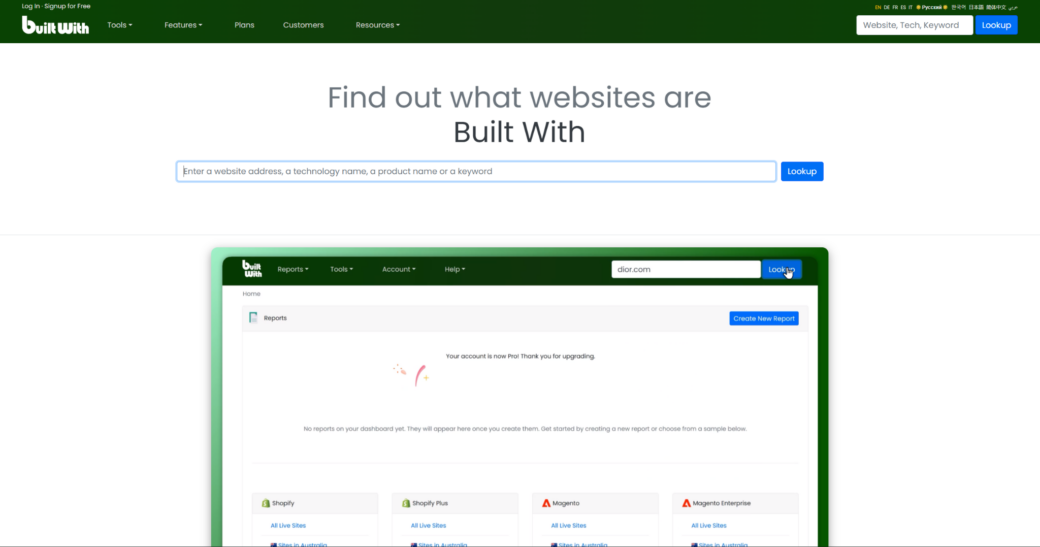
BuiltWith focuses on website technology tracking and company-level research insights. Many sales and marketing teams use the platform to identify which technologies businesses currently run on their websites. Technology profiling helps outbound teams find stronger prospect matches before outreach begins. The platform operates differently from traditional contact discovery systems. No contact databases here.

BuiltWith helps teams research software adoption trends, infrastructure choices, and technology changes across business websites. This data supports account prioritization and niche outbound targeting strategies. Technology-based filtering improves prospect qualification for SaaS companies and specialized service providers.

BuiltWith’s strongest value comes from technology visibility and account-level infrastructure insights. Outbound teams can use this information to sharpen targeting precision. Key research functions include:

  • Website technology tracking;
  • Technology-based account filtering;
  • Software adoption visibility;
  • Company infrastructure insights;
  • Research-focused prospect segmentation.

BuiltWith fits businesses using technology-based targeting during outbound prospecting campaigns.

3. Crunchbase

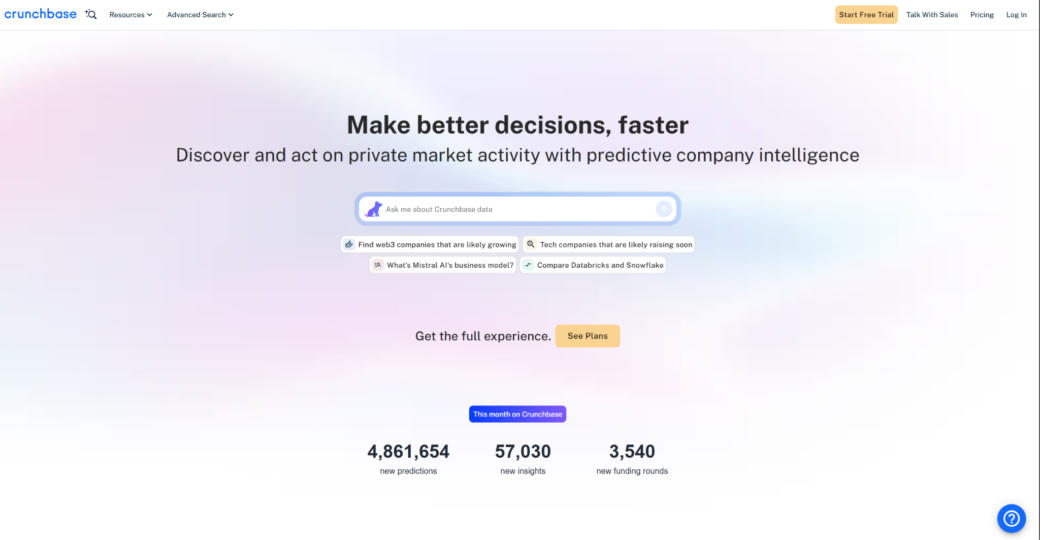
Crunchbase focuses heavily on company research, funding activity, growth signals, and market intelligence. Sales teams often use the platform to research startups, growing businesses, and newly funded companies before prospecting begins. Company growth signals help outbound teams identify warmer business opportunities. Crunchbase functions more like a business research environment than a traditional prospect database.

Crunchbase combines funding data, company profiles, hiring activity, leadership information, and market insights inside one research workflow. Outbound teams use these signals to prioritize accounts with stronger growth momentum. Funding visibility and expansion trends support smarter timing during outbound campaigns.

Crunchbase gives outbound teams a broader business context before prospect outreach starts. Company growth signals improve account prioritization decisions. Key business research features include:

  • Funding and investment tracking;
  • Company growth visibility;
  • Leadership and hiring insights;
  • Startup and market research;
  • Account prioritization support.

Crunchbase works especially well for outbound teams researching growing companies and expansion-focused business opportunities.

4. Owler

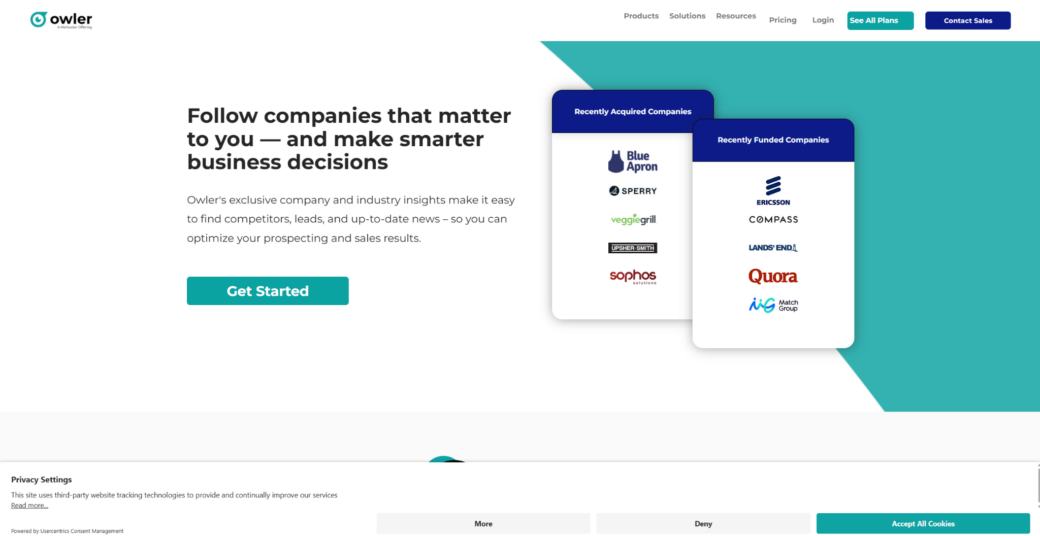
Owler focuses on competitor tracking, company monitoring, and business intelligence workflows. Sales teams use the platform to monitor market activity, company changes, acquisitions, and competitive movements before outreach campaigns begin. Competitive intelligence strengthens account research and prospect qualification workflows. Owler approaches business research differently from traditional enrichment or contact discovery tools.

Owler provides company updates, competitor comparisons, business news, and market tracking insights that support outbound research workflows. Businesses use competitor visibility to identify market shifts and potential prospecting opportunities. Ongoing company monitoring improves outreach timing and account awareness.

Owler’s strongest advantage comes from competitor visibility and ongoing company monitoring workflows. Outbound teams can use market movement insights to support smarter prospect research. Key competitive research tools include:

  • Competitor monitoring workflows;
  • Company update tracking;
  • Market activity visibility;
  • Business intelligence insights;
  • Research-focused account monitoring.

Owler fits businesses prioritizing competitive research and company monitoring during outbound prospecting.

Best Fit for Different Research Approaches

Different research platforms support different prospecting strategies. Your outbound priorities and sales structure matter. Some businesses value manually reviewed prospecting data. Others rely on technology insights, company growth signals, or competitor intelligence. Research workflows should align with your account targeting style and sales process complexity. Combining multiple research angles often creates stronger outbound preparation. Let us wrap this up.

Final Thoughts

Modern prospecting depends on stronger company research, cleaner targeting, and better account visibility before outreach begins. Different platforms contribute different types of intelligence. Manually reviewing prospect data, technology tracking, and competitor monitoring all play a role. Better research workflows improve outbound efficiency more than simply expanding contact volume.Sales teams should evaluate research platforms based on targeting relevance, workflow compatibility, company visibility, and outbound priorities. Stronger account research improves prospect qualification and outreach timing across campaigns. Different research signals support different sales motions depending on industry and account size. Focus on smarter research workflows and better prospecting decisions. That is how you win.

What Are The Key Steps Of The Development Process For A Software Project?

Software development involves a series of steps that ensure the creation of functional, efficient, and reliable software. Each phase, from initial planning to final deployment, plays a crucial role in achieving the project’s goals. 

Understanding these steps and following best practices can significantly improve the chances of a successful software development project. This article outlines the key steps involved in the software development process and provides insights into best practices for effective project execution.

What Is a Software Development Process?

A software development process is a structured approach to creating and managing software projects. It involves a series of well-defined steps aimed at ensuring the final product meets the desired requirements and functions effectively. The main phases typically include:

  • Understanding Requirements: Determining what the software should achieve and how it will be use;
  • Design: Planning both the functionality and the visual aspects of the software;
  • Development: Writing the actual code based on the design specifications;
  • Testing: Verifying that the software works as intended and identifying any issues;
  • Deployment: Releasing the software for user access;
  • Maintenance: Continuously updating and fixing the software to ensure it remains functional and relevant.

The 7 Steps of Software Development Process

A laptop with a written code

The period between the initial design and the final release of a product is known as the software development lifecycle (SDLC). To create high-quality software, development teams typically go through the following seven stages:

  1. Analysis: Understanding the Requirements

Before starting the software development process, it is crucial to understand exactly what the software should do and how it will be used. Various techniques can help in this process:

  • Document Analysis: Evaluate existing documents related to the current system;
  • Interviews: Gather requirements from stakeholders;
  • Observation: Review existing software to understand its strengths and weaknesses;
  • Workshops: Collaborate with users and stakeholders to define and prioritize needs;
  • Prototyping: Create simple models of the software to demonstrate functionality.
  1. Planning: Setting the Foundation

In this phase, software engineers lay the groundwork for development:

  • Objective Understanding: Clarify the software’s goals and development approach;
  • Task Lists: Create detailed task lists using tools like Jira or Asana;
  • Team Responsibilities: Assign specific responsibilities to team members;
  • Progress Tracking: Continuously monitor project progress;
  • Proactive Problem Solving: Anticipate and mitigate potential project challenges;
  • Cost Evaluation: Calculate project costs comprehensively.
  1. Design: Crafting the Details

This stage involves detailed planning of the software’s functionality and appearance. It requires collaboration between software engineering and design teams.

  • System Design: Create a detailed blueprint of the software, describing components and their interactions;
  • Software Architecture Design: Decide on programming languages, tools, and methodologies;
  • UI/UX Design: Design the user interface and experience, ensuring ease of use and consistency.
  1. Development: Writing the Code

The development phase involves translating the design into functional software using appropriate programming languages and technologies. This stage is the core of the software development process and often consumes the most time and resources. Here, developers write the actual code that will power the software, implementing the detailed designs and specifications created during the design phase.

Key Activities During Development:

  1. Code Implementation: Developers use various programming languages and frameworks to build the software. The choice of language depends on the project requirements, such as performance needs, scalability, and the development team’s expertise;
  2. Version Control: Utilizing version control systems like Git helps manage code changes, collaborate efficiently among team members, and maintain a history of code modifications. This practice is essential for tracking progress and rolling back changes if needed;
  3. Code Reviews: Regular code reviews are conducted to ensure code quality, consistency, and adherence to best practices. This collaborative process involves peer review, where developers examine each other’s code to catch potential issues early and improve overall code quality;
  4. Continuous Integration (CI): CI practices involve automatically testing code changes as they are integrated into the main codebase. This helps identify and fix integration issues early, ensuring that new code works well with existing code;
  5. Documentation: Writing comprehensive documentation for the codebase is crucial. This includes comments within the code, as well as separate documents that explain how different parts of the software function, how to use the software, and any setup or deployment instructions. Proper documentation ensures that future developers can understand and work with the code effectively;
  6. Testing During Development: While formal testing phases come later, developers often perform initial testing on their code during development. This includes unit tests to check individual components and integration tests to ensure different parts of the software work together as expected;
  7. Debugging: Debugging is a continuous process during development. Developers use debugging tools to identify and fix errors in the code. Effective debugging requires a deep understanding of the software’s functionality and the ability to trace and resolve issues quickly;
  8. Adherence to Coding Standards: Following established coding standards and guidelines ensures that the code is consistent, readable, and maintainable. These standards cover aspects like naming conventions, code structure, and documentation practices;
  9. Collaboration and Communication: Effective collaboration and communication among team members are essential during the development phase. Regular meetings, progress updates, and collaborative tools help keep everyone aligned and address any challenges promptly.
  1. Testing: Ensuring It Works

Testing is crucial to ensure the software functions correctly and meets requirements. Several types of testing are involved:

  • System Testing: Verify the entire software system;
  • Unit Testing: Test individual components;
  • Integration Testing: Ensure components work together;
  • Functional Testing: Validate the software against requirements;
  • Performance Testing: Test the software under various workloads;
  • Acceptance Testing: Users test the software to ensure it meets their needs.
  1. Deployment: Releasing to the World

Deployment involves making the software available for users. This critical phase requires careful planning and execution to ensure a smooth transition from development to production. Common deployment strategies include blue/green deployment, where two identical environments run simultaneously (one with the old version and one with the new). This allows for easy rollback if issues arise with the new version.

Canary deployment is another strategy where the new version is gradually rolled out to users. This method starts with a small subset of users and incrementally increases until all users are on the new version. This approach helps catch potential issues early with minimal impact.

Shadow deployment tests change in a separate environment that mirrors the production environment. This method allows developers to observe the effects of the new version without affecting the live system, providing a safe way to validate changes before full deployment.

  1. Maintenance: Keeping It Running

Maintenance is an ongoing effort to keep the software running smoothly and address any issues that arise. Bug fixes are a primary task, requiring developers to identify and resolve problems that users encounter. Regular updates and enhancements are also necessary to add new features and improve existing functionalities, ensuring the software remains competitive and meets user needs.

Performance monitoring is crucial to ensure the software performs well under various conditions. This involves continuously tracking the system’s performance and making necessary adjustments to optimize speed and reliability.

Security is another vital aspect, requiring regular updates and patches to protect the software from emerging threats. This ongoing vigilance helps safeguard user data and maintain the integrity of the system.

User support is essential for addressing questions and problems that users may have. Providing timely and effective support helps maintain user satisfaction and trust in the software. This support often includes a helpdesk or support team dedicated to resolving user issues and providing guidance.

Role of Quality Assurance

Сharacters are sitting on a laptop with the infinity sign

Quality Assurance (QA) is vital to the success of any software development project. It ensures that the software meets the specified requirements and is free from defects. QA involves a systematic process of checking and validating the software at various stages of development to ensure it performs as expected. 

This process helps identify issues early, reducing the cost and effort required to fix them later. QA not only focuses on detecting defects but also on improving the development process to prevent future issues. By maintaining high-quality standards, QA ensures the software is reliable and efficient, and provides a positive user experience.

The importance of QA cannot be overstated, as it plays a crucial role in delivering software that not only meets technical specifications but also satisfies user needs and expectations.

Best Practices for a Successful Development Process

To ensure the success of a software development project, follow these best practices:

  • Communication and Collaboration: Ensure all team members are aware of project goals and can work together to solve problems;
  • Use of a Well-Defined Development Methodology: Follow methodologies like agile or waterfall to keep the project organized and on track;
  • Quality Assurance and Testing: Conduct regular QA and testing to ensure the software meets requirements and is free of bugs;
  • Risk Management: Identify and plan for potential risks early to avoid problems later.

By adhering to these best practices and following the steps outlined above, you can successfully navigate the software development process, creating high-quality, reliable software that meets user needs and stands the test of time.

Conclusion

Successfully navigating the software development process involves careful planning, clear communication, rigorous testing, and ongoing maintenance. By understanding and implementing each step effectively, development teams can produce high-quality software that meets user needs and adapts to changing requirements. Following best practices further ensures that the software development project remains on track and achieves its goals efficiently.

Mapping Out Success: A Review of the Best WordPress Map Plugins


In the ever-evolving digital landscape, the importance of map plugins cannot be overstated. They serve as an essential tool for businesses, allowing them to provide their customers with valuable location-based information in a visually appealing and user-friendly manner. 

Whether it’s a restaurant wanting to show potential diners where they’re located, a travel blog showcasing the places they’ve visited, or an online store guiding customers to their brick-and-mortar outlets, map plugins have become a crucial element of a successful online presence.

The purpose of this blog post is to provide a comprehensive review of the best five WordPress map plugins available now. We understand that with the plethora of options available, selecting the right map plugin for your website can be a daunting task. 

Therefore, we have done the heavy lifting for you by meticulously researching, testing, and evaluating numerous plugins to bring you the crème de la crème. We aim to equip you with the knowledge and insights needed to make an informed decision, ensuring the map plugin you choose aligns perfectly with your business needs and goals. 

So, let’s embark on this journey of mapping out success together!

The Best 5 WordPress Map Plugins to Explore in 2023 and Beyond

Plugin 1: Leaflet Maps Marker

When it comes to mapping plugins for WordPress,  Leaflet Maps Marker is a standout option that has proven its worth time and time again. It’s a comprehensive, feature-rich tool that makes creating and managing maps on your website a breeze.

Features and Benefits

Leaflet Maps Marker is lauded for its robust set of features that cater to various mapping needs. Its primary feature is the ability to create unlimited markers and layers, offering users the flexibility to add as many locations as they want. You can even categorize these markers into different layers for better organization.

One of the significant benefits of using Leaflet Maps Marker is its customization options. You can choose from over 1000 custom icons, adjust map sizes, control zoom levels, and even decide on the default map view. The plugin also allows you to import and export your maps and markers, making it easy to transfer them between different websites or back them up for safety.

Another unique feature is the integration with geolocation services. This means that you can track the real-time location of your users, providing them with directions and distances to your markers from their current location.

Moreover, Leaflet Maps Marker supports multiple map types, including OpenStreetMap, Google Maps, Bing Maps, and Mapbox. This variety ensures that you can choose the map that best fits your website’s aesthetics or functionality.

Suitable Use Cases

Given its rich feature set, Leaflet Maps Marker is suitable for a range of use cases. For businesses with multiple locations, such as retail chains, restaurants, or real estate agencies, this plugin can help showcase all of your locations on one map.

It’s also ideal for travel bloggers or tourism websites, where you can mark different points of interest, such as tourist spots, hotels, and restaurants, on a single map. This helps your readers visualize their trip and plan their itinerary more effectively.

Non-profit organizations can use it to highlight the areas they serve or the locations of their projects, helping donors and volunteers see the impact of their work.

In conclusion, Leaflet Maps Marker is a versatile, feature-packed plugin that can cater to various mapping needs. Whether you’re a business owner, a blogger, or a non-profit organization, this plugin can help you create interactive, informative maps for your WordPress site.

Plugin 2: WP Go Maps

When it comes to mapping plugins,  WP Go Maps is a stalwart in the WordPress plugin community. It’s a robust and versatile tool that allows you to add customized Google maps to your website with ease.

Features and Benefits

WP Go Maps stands out for its rich feature set and user-friendly interface. The basic version of the plugin lets you create as many maps as you want, each customizable with unlimited locations, markers, and descriptions.

But where WP Go Maps truly shines is in its Pro version. With advanced features such as marker clustering, heatmaps, and the ability to import and export map data, the Pro version takes your mapping capabilities to the next level. It also offers more than 70 different styles to choose from, so you can match your maps to your website aesthetic.

One standout feature is the plugin’s comprehensive directions functionality. Users can get directions from their current location to any marker on your map. This is especially useful for businesses with physical locations, making it easier for customers to find them.

Suitable Use Cases

WP Go Maps is perfect for a wide range of use cases. If you’re a small business owner, you can use it to show your store locations. Nonprofits can use it to map out their service areas or locations of events. Bloggers can use it to share travel routes or recommended spots.

For real estate websites, the plugin can be used to display properties for sale on an interactive map, complete with descriptions, images, and contact information. Event organizers can use it to provide clear directions to event venues.

In short, if your website needs to showcase locations in an interactive, user-friendly way, WP Go Maps is a solid choice. Its combination of powerful features, ease of use, and adaptability to various use cases makes it one of the best WordPress map plugins for 2023.

Plugin 3: MapPress Maps for WordPress

MapPress Maps for WordPress is another highly-rated map plugin that allows you to seamlessly integrate Google or Leaflet maps into your website. With a perfect blend of simplicity and functionality, MapPress makes it easy for anyone to add interactive maps to their WordPress site.

Features and Benefits

MapPress offers both a free version with basic features and a pro version packed with advanced functionalities. The free version allows you to create and customize maps, add markers with HTML descriptions, and include thumbnails and links.

The Pro version, on the other hand, offers a plethora of enhanced features. These include custom map styles, directions, street view, and the ability to create marker clusters. One of its standout features is the ability to automatically generate maps from custom fields in a post, saving you precious time and effort.

Another benefit of MapPress is its compatibility with Gutenberg and classic editors, making it accessible regardless of your WordPress setup. Also, it’s lightweight and performance-optimized, ensuring that adding maps to your site won’t slow it down.

Suitable Use Cases

MapPress is an incredibly versatile plugin, making it suitable for a wide array of use cases. For local businesses, it can be used to provide directions to your storefront or office.  Travel bloggers can use it to plot their journey and share interesting locations with their readers.

Real estate agents can leverage the plugin to display properties on an interactive map, complete with detailed descriptions, photos, and contact information.  Event organizers can use it to provide clear, interactive directions to venues.

For developers and advanced users, the automatic map generation feature can be a game-changer, allowing you to create complex, data-driven maps with ease.

In conclusion, whether you’re a beginner looking for a simple way to add a map to your site, or a seasoned developer in need of a powerful mapping tool, MapPress Maps for WordPress is a plugin worth considering.

Plugin 4: Interactive Geo Maps

Interactive Geo Maps is a dynamic and feature-rich WordPress map plugin, ideal for anyone seeking to add interactive maps with colorful geographical areas, markers, and labels to their website. It covers a vast array of mapping needs and is a powerful tool for visually representing data on your site.

Features and Benefits

Interactive Geo Maps allows you to create fully customizable maps with interactive features. You can choose from hundreds of pre-existing maps or create your own to best suit your needs.

The plugin supports color gradients and custom overlays, allowing you to highlight specific regions or points of interest. Furthermore, it offers zoom controls and tooltip functionality, providing your visitors with a truly interactive experience.

The ability to link each region or marker to a specific page or URL is another standout feature. This makes it an excellent tool for creating visual navigation menus or complex, interactive infographics.

Additionally, the plugin is fully responsive, ensuring that your maps will look great on any device. It’s also regularly updated and backed by prompt, reliable customer support, providing peace of mind for anyone relying on its functionality for their site.

Suitable Use Cases

Interactive Geo Maps is incredibly versatile, making it suitable for a wide range of use cases. For instance, news websites can use it to provide visual context for stories related to specific geographical locations. Educational websites can use it for interactive lessons about geography or history.

For businesses with multiple locations, the plugin can be used to create an interactive store locator. Similarly, travel bloggers can use it to plot their journeys and share their experiences in different locations.

Nonprofit organizations can use it to visualize the impact of their work in different parts of the world. Researchers and data analysts can leverage its capabilities to create interactive data visualizations, making complex data more understandable and engaging for their audience.

In conclusion, whether you’re looking to enhance your site with interactive geographical content, or need a powerful tool for data visualization, Interactive Geo Maps is a plugin worth considering for your WordPress site in 2023 and beyond.

Plugin 5: Advanced Google Map Block

The Advanced Google Map Block Plugin for WordPress (https://wordpress.org/plugins/advanced-google-map-block/) is a versatile, feature-rich mapping plugin that integrates seamlessly with your  custom WordPress design.

It provides in-depth customization options and a variety of advanced features to help you create detailed, interactive maps that perfectly match your site’s aesthetic and functional needs.

Features and Benefits

This plugin boasts an impressive range of features that go beyond basic map functionality. Users can add unlimited locations with various information, including custom marker icons, descriptions, links, categories, and images. The plugin also supports the ability to filter these markers based on categories or custom fields.

A standout feature is its ability to import and export data from other sources, making it easier to manage large amounts of location data. This plugin also includes advanced route direction features, allowing users to get directions from their current location to any marker on your map.

One of the strongest benefits of this plugin is its adaptability to custom WordPress design. With over 500 customizable styles, you can ensure your map perfectly matches your website’s look and feel. Furthermore, the plugin is fully responsive, ensuring a seamless user experience on all devices.

Suitable Use Cases

The Advanced Google Map Block Plugin for WordPress is ideal for a wide range of use cases. For instance, businesses can use it to display store locations, complete with descriptions, contact information, and directions. Event organizers can use it to provide attendees with detailed directions to venues.

Real estate companies can leverage the plugin’s features to showcase property listings on an interactive map, providing potential buyers with a wealth of visual and descriptive information. Travel and tourism sites can use it to highlight attractions, accommodations, and routes, enhancing the user experience.

In conclusion, the Advanced Google Maps Plugin for WordPress is an excellent choice for anyone seeking a robust, customizable mapping solution that will integrate seamlessly with their custom WordPress design.

Wrapping Up: Choosing the Right WordPress Map Plugin

In this review, we’ve explored five of the top WordPress map plugins. Each plugin offers unique features and benefits that can enhance your website’s functionality and user experience.

We began with MapPress Maps for WordPress, a versatile and easy-to-use solution perfect for both beginners and seasoned developers. Next, we delved into Interactive Geo Maps, a dynamic tool offering interactive and data-rich maps. Finally, we examined the Advanced Google Map Block Plugin for WordPress, a robust, highly customizable plugin that integrates seamlessly with your custom WordPress design.

Choosing the right map plugin ultimately depends on your specific needs and the functionality you desire. Consider your use case, whether it’s displaying simple directions, showcasing multiple business locations, or creating rich, interactive data visualizations.

We encourage you to explore these plugins further and take advantage of their free versions or demos where available. Remember, the best way to determine if a plugin is right for your site is to test it out for yourself.

Why Do Websites Need to Know Your Location? Exploring the Benefits and Concerns

In the vast expanse of the digital universe, there’s a tool that plays a crucial role in bridging the gap between virtual and physical realities: Geolocation. When you visit a website and it asks for your location, what you’re experiencing is geolocation at work. This technology enables websites to pinpoint your geographical location, thereby adding another layer of interaction to your online experience.

The purpose of this article is to delve into why websites are so keen on knowing your location. We’ll explore the reasons behind this request, how these sites use your location data, and the implications of this practice.

From enhanced personalization to potential privacy concerns, we aim to shed light on the multifaceted aspects of geolocation in websites. So, sit tight as we navigate through the intriguing world of digital location tracking.

Understanding Geolocation on the Web

To better grasp why websites are so keen on knowing your location, we first need to understand how geolocation works on the web.

How Geolocation Works

The technology behind geolocation is quite fascinating. It primarily uses three methods: IP addresses, GPS, and WiFi access points.

  • IP Addresses: Every device connected to the internet has an IP address, which is essentially its online identity. Through this IP address, a website can estimate your geographical location. However, this method isn’t always accurate, as it depends on where your Internet Service Provider (ISP) assigns your IP address from.
  • GPS: If you’re using a mobile device, websites can also use the built-in GPS to get your precise location. This is often used by mapping services like Google Maps to provide real-time navigation.
  • WiFi Access Points: When connected to a WiFi network, your device can triangulate its position relative to nearby WiFi access points. This method is particularly useful in urban areas where there are numerous WiFi networks.

Browser Geolocation API

Moving a step further, we come to the Browser Geolocation API. It’s a feature of modern web browsers that allows websites to request location information directly from your device, given your explicit permission.

When a website makes such a request, a notification pops up asking you to allow or deny access to your location data. If you grant permission, the Geolocation API uses a combination of the above-mentioned methods to determine your location and share it with the website. This process can significantly enhance the level of personalization and functionality that the website can provide, thereby improving your overall user experience.

However, the use of geolocation does raise some privacy concerns, which we will delve into in the later sections of this blog post. As we continue exploring the benefits and concerns of websites knowing your location, remember this: The power to share your location is always in your hands.

Reasons Why Websites Request Location Information

We often encounter websites asking us to share our location information. But why do they need to know where we are? Let’s delve into the reasons.

Enhanced User Experience

One of the primary reasons websites request location data is to enhance your overall user experience. The Internet is a vast place, and it can be challenging to sift through irrelevant information. By knowing your location, websites can personalize the content you see to make it more relevant and engaging.

For instance, if you’re browsing a news website, it may prioritize stories from your local area or region. Similarly, e-commerce sites might display products that are available in your country or city, thereby saving you the disappointment of finding out later that the item you want can’t be shipped to your address.

Moreover, location data can also help websites cater to your language preferences. If you’re accessing a site from a non-English speaking country, the website might automatically translate its content to your native tongue, making it easier for you to navigate and understand the site’s offerings.

Local Services and Recommendations

Location data isn’t just about personalizing content; it also plays a pivotal role in providing recommendations and local services. Websites often use your geographical data to suggest businesses, events, and services in your area that might interest you.

Let’s take an example of streaming platforms like Netflix or Spotify. They often use location data to suggest movies, series, or music that are popular in your area, thereby enhancing your entertainment experience.

Similarly, food delivery apps like Uber Eats or Grubhub use your location data to show you restaurants near you, ensuring that your food arrives hot and fresh. Even social media platforms like Facebook use location data to suggest local events you might want to attend or local groups you might want to join.

Targeted Advertising

Another significant reason why websites request location information is for targeted advertising. Advertisers are always looking for ways to reach the right audience, and one of the most effective methods is through location-based targeting.

By knowing where you are, websites can display ads that are relevant to your geographical area. For instance, if you’re browsing a website from New York City, you might see ads for local restaurants, events, or services within the city. This kind of targeted advertising not only benefits businesses by helping them reach potential customers but also enhances your browsing experience by showing you ads that might genuinely interest you.

Additionally, location data can also be used in conjunction with other information like your browsing habits and preferences to create a more comprehensive user profile. This allows advertisers to tailor their ads even more specifically, presenting you with products or services that align with your interests and needs.

Personalized Offers

Location data isn’t just useful for advertisers; it’s also a valuable tool for businesses to offer personalized promotions, discounts, or exclusive deals. By knowing where you are, businesses can send you offers that are particularly relevant to your area.

For example, a local coffee shop might send you a discount coupon if you’re nearby, encouraging you to pay them a visit. Or an e-commerce site might offer free shipping if you’re within a certain radius of their warehouse.

In fact, some businesses even use location data to offer exclusive deals based on regional events or holidays. If there’s a major sports event happening in your city, a local sports store might offer a special promotion.

Geolocation for Security and Authentication

In the digital age where data breaches and cyber-attacks are common, securing online platforms is of paramount importance. One of the ways websites enhance security measures is by using geolocation data.

Enhanced Security Measures

Websites can leverage your location data to verify your identity and prevent unauthorized access to your account. When you attempt to log into a site from a new device or location, the website might flag this as suspicious activity if it’s different from your usual patterns. This is especially true when the login attempt occurs from a location where you’ve never accessed your account before.

For instance, if you’re based in New York and suddenly there’s a login attempt from Paris, the website may block the attempt and send you a notification. This is because the website uses your geolocation data as part of its security protocol to determine whether the login attempt is legitimate or potentially fraudulent. This way, even if someone else gets hold of your username and password, they would be unable to access your account from an unrecognized location.

Two-Factor Authentication (2FA)

Geolocation data can also be used for two-factor authentication (2FA), adding an extra layer of security to user accounts. 2FA refers to the process where users are required to provide two different types of identification to verify their identity.

One common method of 2FA involves sending a verification code to your mobile device, which you then enter on the website. However, with location-based 2FA, the second factor of authentication could be a check against your current location. For example, if you’re logging in from a recognized location, like your home or office, the website might skip the second authentication step.

However, if the login attempt comes from an unfamiliar location, the site could prompt you to provide additional proof of identity. This could be in the form of answering security questions or providing a fingerprint or facial recognition if your device supports these features.

Concerns and Privacy Considerations

While location data can significantly enhance your online experience by providing personalized content and services, it’s important to understand the potential risks and privacy concerns associated with it.

Privacy Risks

The primary concern most individuals have with websites accessing their location is the potential misuse of this sensitive information. When a website knows your location, it can potentially track your movements, deduce your habits, and even infer personal information, such as your place of work or home address.

In the wrong hands, this data could be exploited for malicious purposes like stalking, identity theft, or unwanted targeted advertising. This is why it’s crucial to only share your location data with trusted websites and ensure they have robust security measures in place to protect your information.

Another concern is third-party data sharing. Sometimes, websites may share your location data with third parties, such as advertisers, without your explicit knowledge. This can lead to an invasion of your privacy as these third parties might use your location data for purposes you did not initially consent to.

User Consent and Transparency

To mitigate these risks, it’s essential that websites obtain clear consent from users before accessing their location information. This means that a website should explicitly ask for your permission to collect your location data and provide you with sufficient information about how they intend to use it. This practice not only ensures respect for user privacy but also builds trust between the website and its users.

Transparency in data handling practices is equally important. Websites should provide clear and accessible privacy policies that detail how they collect, use, store, and share location data. They should also provide users with options to manage, limit, or revoke access to their location information at any time.

Managing Location Permissions and Settings

In the digital world, privacy is paramount. While location-based services can enhance your browsing experience, it’s crucial to know how to manage these settings effectively. Here is a simple guide on how to manage location permissions on your browsers and devices:

How to Manage Location Permissions

  1. On Google Chrome: Click the three vertical dots in the top-right corner of the browser > Settings > Privacy and security > Site Settings > Location. Here, you can choose which websites have permission to access your location.
  2. On Firefox: Click the three horizontal lines in the top-right corner > Options > Privacy & Security > Permissions > Location > Settings. You can block new requests for your location or manage permissions for individual sites.
  3. On Safari: Go to Safari > Preferences > Websites > Location. You can select “Deny” or “Allow” for individual websites.
  4. On Mobile Devices (iOS): Go to Settings > Privacy > Location Services. Here, you can manage location permissions for each app.
  5. On Mobile Devices (Android): Go to Settings > Location > App permission. Here, you can manage location permissions for each app.

Privacy Tips

Here are some tips to maintain your privacy while enjoying the benefits of location-based features:

  • Understand the Information: Before allowing location permissions, understand why a website requires your location. If it doesn’t seem necessary, it may be best to deny permission.
  • Use Incognito Mode: Browsing in incognito mode can prevent websites from saving and using your location information.
  • Regularly Review Permissions: Make a habit of reviewing your location permissions regularly. This ensures that only trusted and necessary websites and apps have access to your location data.
  • Use VPNs: Virtual Private Networks (VPNs) can mask your location, providing an extra layer of privacy.

Remember, managing your location settings is a key part of maintaining online privacy. Stay informed, stay secure!

Final Words

Location data is a powerful tool that can augment our online experiences, customize services, and enhance security measures. However, it also raises significant privacy concerns. The misuse of such sensitive information could lead to undesirable circumstances including stalking, identity theft, and unwelcome targeted advertising.

It is therefore important for websites to obtain clear user consent and provide transparency about their data handling practices. Users, on the other hand, should stay informed about how their location data is used and take proactive measures to manage their location permissions effectively.

By staying vigilant and informed, we can reap the benefits of location-based services while also ensuring our privacy is upheld.

Navigating the Maze: How to Choose the Right Development Company for Your Navigation Devices

Understanding Navigation Devices and Their Features

Navigation devices have become essential for travelers, hikers, and even everyday commuters. These devices, such as GPS systems, provide accurate and real-time information to help users reach their destinations efficiently. When choosing the right navigation device, it is crucial to understand the various features they offer. By familiarizing yourself with these features, you can make an informed decision and find the perfect navigation device to suit your needs.

One of the primary features to consider in navigation devices is the accuracy of the GPS system. A reliable GPS system ensures that you receive precise location information, helping you navigate unfamiliar territories with ease. Additionally, consider the device’s display quality and size. A clear and vibrant display makes it easier to see maps, directions, and other critical information while on the move.

Another vital feature to consider is the device’s connectivity options. Some navigation devices offer Wi-Fi or Bluetooth connectivity, allowing for seamless integration with other devices. This feature enables you to receive real-time traffic updates, download maps, and even connect to your smartphone for hands-free calling and messaging.

When choosing a navigation device, it is also essential to consider its power source and battery life. Opt for devices that offer long battery life and can be easily charged. This ensures that your navigation device remains operational, even during extended journeys.

Key Features to Consider When Choosing a Navigation Device

When selecting the right navigation device, it is essential to consider specific key features. These features will ensure that your device meets your expectations and provides a seamless navigation experience.

Firstly, consider the device’s map coverage. Ensure that the navigation device has comprehensive maps for the regions you plan to travel to. Some navigation devices offer free map updates, allowing you to stay up-to-date with the latest changes in road networks and points of interest.

Secondly, evaluate the ease of use and user interface of the navigation device. An intuitive and user-friendly interface simplifies the navigation process, allowing you to focus on reaching your destination. Look for features such as voice-guided directions, lane guidance, and real-time traffic updates to enhance your navigation experience.

Lastly, consider the device’s additional features and compatibility. Some navigation devices offer advanced features like voice control, hands-free calling, and even built-in dash cams for recording your journey. Additionally, ensure that the device is compatible with your preferred operating system, whether it be Android, iOS, or others.

But what criteria should you consider when selecting a mobile app development partner for your navigation app? Let us take a look at this topic.

First Suggestion: Look into Engaging a Professional Mobile App Development Firm

To find the right tech partner, you should focus on businesses that specialize in mobile app development. This way, you can be sure to secure a developer who has an extensive understanding of this field.

On the flip side, an individual who is adept in multiple areas may not have the experiential qualifications to concentrate on one particular area. Thus, if you want to build a fintech app or a native mobile application, it would be best to get in touch with companies that specialize in this type of development.

Typically, it is simple to identify an organization whose mobile development offerings are not their primary focus. An all-encompassing company may list several technologies and platforms with the aim of enticing a large number of customers.

When researching a vendor, it may be beneficial to look into the number of iOS and Android developers in the area. However, it is imperative to remember that some projects may not be included in their portfolio due to confidentiality agreements.

Tip 2. Ensure the App Development Organization Possesses Appropriate Sector Knowledge

Crafting a solution that is appropriate for the market is not a sufficient guarantee of success in the long run. Your product should be consistent with the business and address the special issues in your sector.

Having an in-depth understanding of a particular area enables providers to rapidly comprehend business issues and create applicable technical solutions – be it design, architecture, or data security. Furthermore, this implies that the business is aware of the intended recipients, thus reducing the resources necessary during the project’s discovery phase.

Gaining knowledge from industry experts can give a different point of view on your answer. To verify if the vendor is proficient in the area, check out their work history. This data can also be requested directly from the potential associate.

Advise 3. Confirm Sources and Ratings

When selecting a hotel, people often look to reviews on Booking.com or TripAdvisor to help them decide. This same idea is also applicable to the software development field where ratings and feedback are vital to the decision-making process.

To get an idea of how your potential app development vendor has performed, you could turn to sites like Clutch or GoodFirms. Clutch reviews go through a rigorous screening process, meaning that submitting false feedback is not an option. Through Clutch, you can pick a project from the developer’s portfolio and request contact information from the customer associated with the project.

Gaining assurance in a potential app development vendor can be accomplished by requesting information from them and viewing their references. This is beneficial for both the vendor and the customer, creating a win-win situation.

Suggestion 4. Make Choosing a Partner with a Comprehensive Range of App Development Services a Priority

Developing a custom mobile application requires more than just programming and design; it necessitates research, revision, and testing to ensure a successful launch.

It can be a lot more convenient and cost-saving to select a mobile app development firm that can manage the entire procedure. You might want to think about engaging with a provider that can offer the following array of services:

  • Investigating and assessing the market
  • Designing early models and creating wireframes
  • Crafting UI/UX solutions
  • Creating a Minimum Viable Product (MVP)
  • Developing native mobile applications
  • Integrating APIs and developing them
  • Quality assurance
  • Providing post-release assistance and maintenance

Having all the necessary services in one place can conserve the energy you dedicate to your mobile app development, ensure swift issue resolution, and guarantee product uniformity.

Sealing the Deal: Prioritizing Acquaintance with Your Team

Assessing the portfolio of a potential vendor is a good method to understand the kinds of projects a company can deliver. Nevertheless, it is important to remember that a business’s employees are the ones who actually work on the project, not the company itself.

The backgrounds and experiences of each potential employee can vary drastically, meaning it is wise to conduct interviews prior to beginning any project. These interviews are not only beneficial in order to get to know the potential hire, but also to create a strong connection with them on a cultural and personal level.

For instance, on one of Orangesoft’s projects, two app developers, both with a passion for football, were given the task of creating a second-screen football application for a customer. Ultimately, the collaboration between the customer and the developers was incredibly successful.

Tip 6. Begin a Trial Agreement

Interviewing a potential contractor for a mobile app development project may take several hours, but it does not guarantee they are the right fit. The ultimate aim is not only to receive a portfolio or proposal, so the only way to determine if a successful partnership can be formed is to begin working together.

You can gain an understanding of how a team works without making a long-term commitment by having a trial period. To begin, you should

create a contract outlining the expectations for a period of one to two months.

At present, it is much simpler to switch contractors, since a trial contract usually terminates employment without any delay. By the conclusion of the trial period, you should be able to decide whether you wish to keep working with the vendor in the long run, as you would be familiar with how they work.

Suggestion 7. Breaking Down the Contract into Parts

For swift validation of a trial contract, it is recommended to divide the tasks. To create a mobile application from the ground up, it is essential to address business analysis and UI/UX design; separate these activities into distinct contracts and use them to assess the suitability of a potential vendor.

In the end, you will have a comprehensive description of the requirements and designs for your app’s various pages. From there, you can easily reach out to different mobile app development companies with your RFP, which is already fully formed. As we know, an RFP allows you to select the correct mobile app development firm based on their response.

Tip 8. Opt for the Appropriate Provider’s Size

Assuming you need a group of 4-6 app developers for your business venture, if you reach out to a large business with more than a thousand personnel, it’s easy to understand which projects would be granted to the top app makers and executive-level administrators. You would be situated at the bottom of their list of customers and organized based on revenue.

If your immediate plans involve expanding your team, you may not want to opt for a small studio with only 20 employees. Though you are likely to receive the CEO’s full attention and competitive prices, the development of your team could be hindered.

Given the constraints of a small mobile studio, they are unable to meet your team’s sizing requirements. All of their current staff, even those recently hired, must be provided to you.

It is advisable to employ a mobile app development team that suits your requirements. By taking this step, you will be given the attention you deserve as a customer and the firm’s ability will let you expand your project depending on what is necessary.

Rule 9: Ensure Privacy, Protection and Adherence to Laws for Your Data

Prior to selecting a mobile app development firm to outsource your projects to, it is essential to make sure the vendor is being meticulous in regard to data protection and maintaining the security of sensitive data. This calls for the company to possess necessary data security credentials, preventative measures against breaches, and solid data security policies in place.

In order to preserve your confidential information, the vendor sets up a legal framework to defend your ideas and documents it in a Non-Disclosure Agreement (NDA). This is a binding agreement between you and the mobile app development enterprise which bars confidential data from being shared with any external entities.

Compliance with regulations

HIPAA or PCI DSS may necessitate certain data requirements. Thus, make sure that the vendor you are using has significant experience in creating compliant digital products.

Suggestion 10: Be Open Concerning Your Objectives

When you have inked your NDA, it is essential to be up-front about the current scope of the project and what you are expecting from the potential vendor. A misstep startups often make is to not disclose their full product vision before the contract is closed. But since the scope and deliverables are written in the agreement and used as a reference point by the vendor, attempting to withhold information may have negative repercussions during the development process.

Factors to Consider When Selecting a Development Company for Navigation Devices

Choosing the right development company for your navigation devices is crucial to ensure the quality and reliability of the final product. Here are some key factors to consider when making this decision:

Experience and Expertise: Look for a development company with extensive experience in developing navigation devices. They should have a proven track record of delivering high-quality products and possess the necessary expertise in GPS technology.

Portfolio and References: Review the company’s portfolio and seek references from their previous clients. This will give you an insight into their capabilities and the satisfaction levels of their customers.

Customization and Scalability: Ensure that the development company can provide customized solutions tailored to your specific requirements. Additionally, consider their ability to scale the product as your needs grow or evolve.

Quality Assurance: Look for a development company that follows rigorous quality assurance processes to ensure the reliability and accuracy of the navigation devices they develop. This includes thorough testing and validation procedures.

Support and Maintenance: Consider the level of support and maintenance the development company provides after the product launch. A reliable company should offer ongoing support, including bug fixes, updates, and technical assistance.

Conclusion

Choosing the right navigation device and development company can be a maze of options and considerations. By understanding the features of navigation devices, types available, and key factors to consider when selecting a development company, you can navigate through this process with confidence. Remember to prioritize accuracy, connectivity, power source, and battery life when choosing a navigation device. Moreover, consider the map coverage, user interface, and additional features when making your decision.

In this complex landscape, experienced development firms like Orangesoft have played a significant role in shaping the navigation app industry. Their expertise in creating innovative and user-friendly solutions has made a lasting impact, ensuring that users can rely on accurate and seamless navigation experiences.

Finally, evaluate the development company’s experience, portfolio, customization options, quality assurance, and support services. By following these guidelines, you will be well-equipped to choose the right development company for your navigation devices, ensuring a reliable and user-friendly product that meets your specific needs.